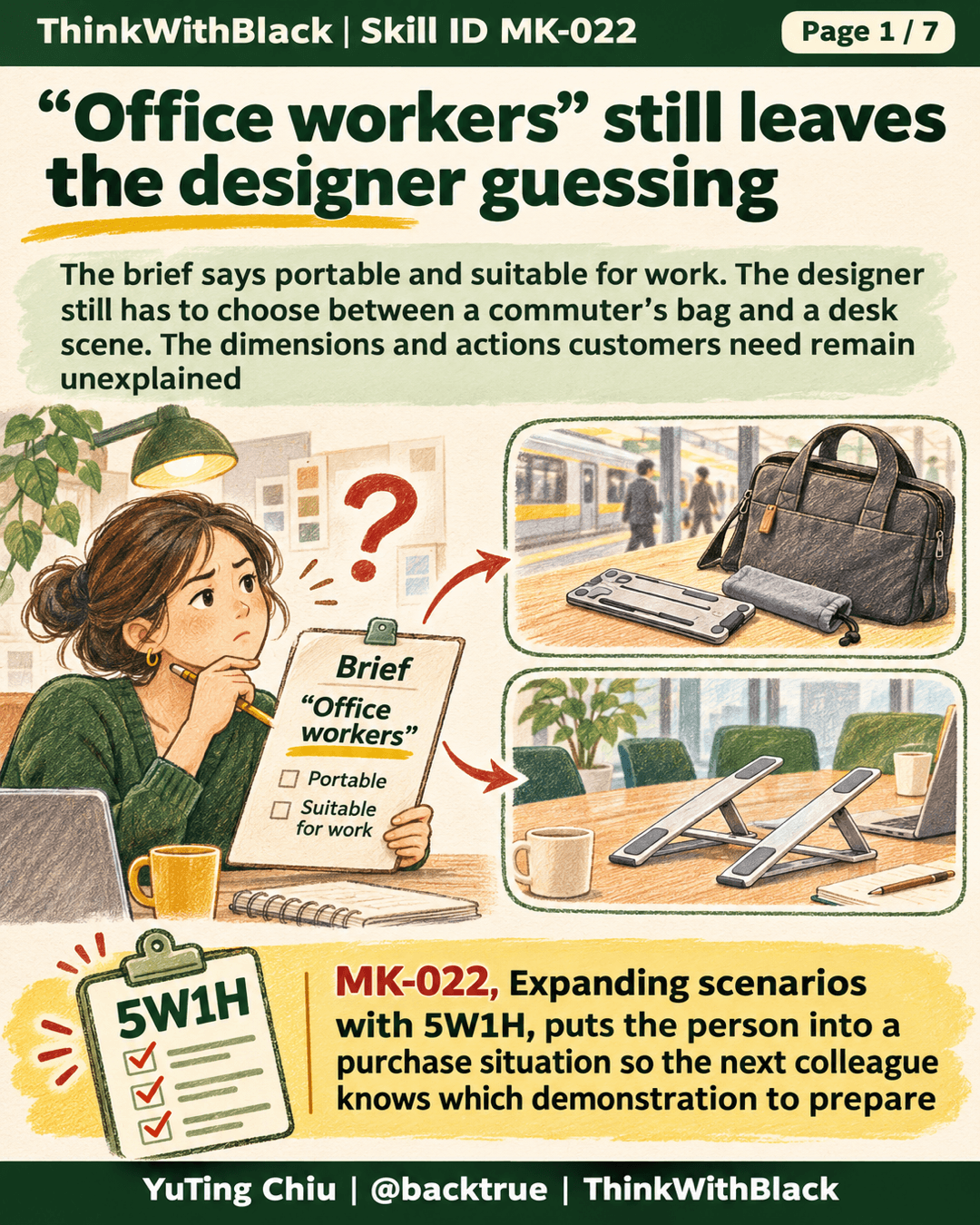
The brief says “office workers” and lists portability and office use. The designer still has to ask which scene to shoot. Should the product go into a commuter’s bag, or sit on a desk? Service has to establish the intended use again whenever an enquiry arrives
If the team leaves those questions open, the next version can become another adjective beside another product photo. Customers still cannot find the dimensions, steps or preparation details they need. The team cannot say whose question the image is answering
That is the gap I would address. Once an audience has been chosen, the description should help copywriters, designers and service colleagues continue the work. Put the person into something they are trying to do, so the next colleague knows which explanation to prepare
MK-022, Expanding scenarios with 5W1H, places a Persona in a short online-purchase story. Who needs to do what, when and where? Why are they looking now, and how are they choosing? Link each part to the available information, then keep the scenario in a table colleagues can use
One laptop stand, different preparation tasks
For example, consider a Model A laptop stand. Its product information says it folds flat and includes a carrying pouch. The demonstration shows it being folded and placed in that pouch. Supported laptop sizes, folded dimensions and load capacity still need checking against the same model’s information
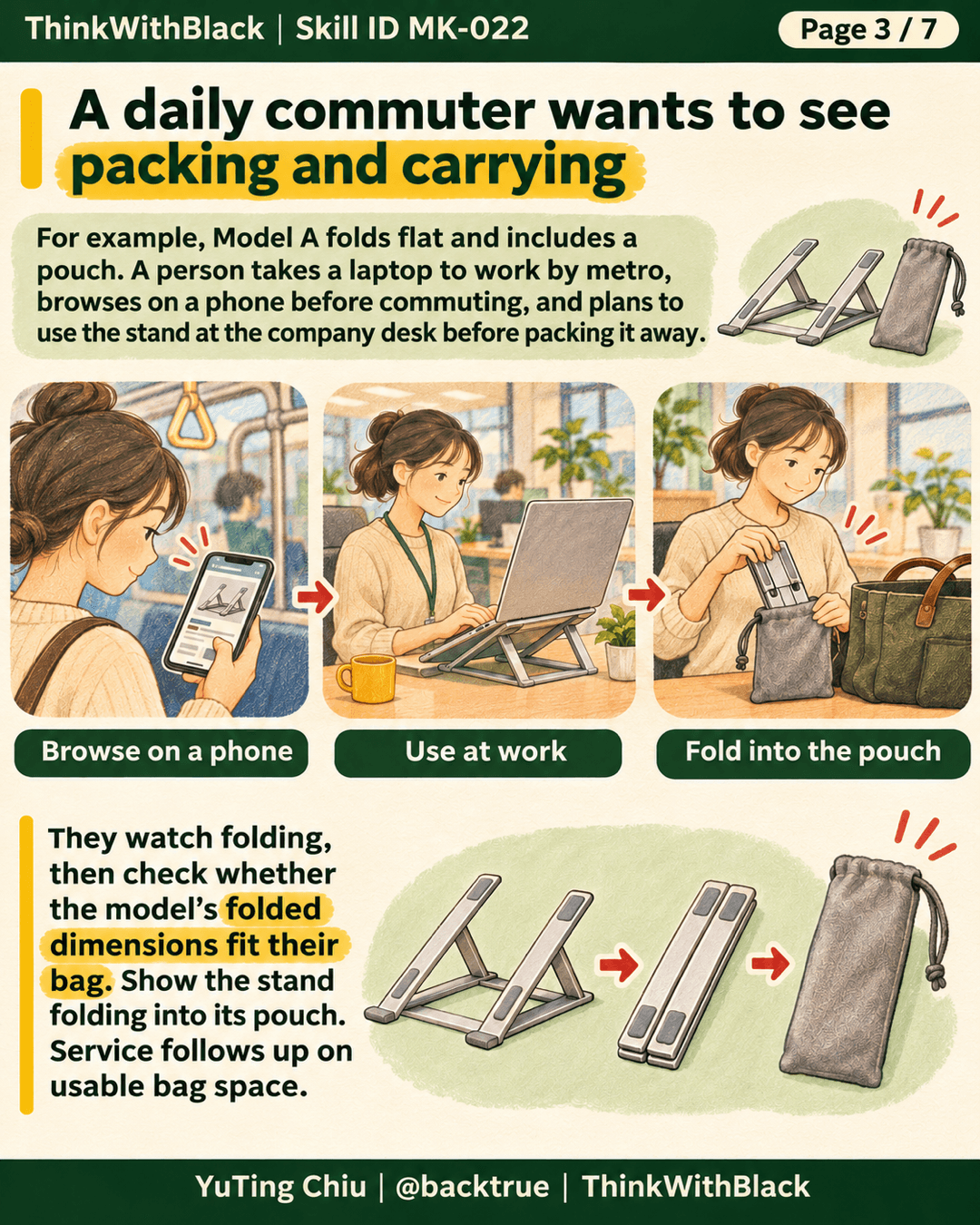
Imagine two enquiries. One person takes a laptop to work by metro every day. Before the morning commute, they compare product pages on their phone and want to know whether the folded stand will fit in their usual bag. Another is arranging a client presentation next week. They watch the demonstration on a laptop to see how the stand opens and sits on a table
Both could be called office workers, but they need different views. The commuting scenario calls for folding and bag-space details. The presentation scenario calls for setup steps and desk layout. A brief saying “convenient for work” leaves the designer to make those choices again
The product facts in this example start with folding flat, the included pouch and the demonstrated actions. Keep the intended use, timing and selection process with each scenario, ready to check through further enquiries
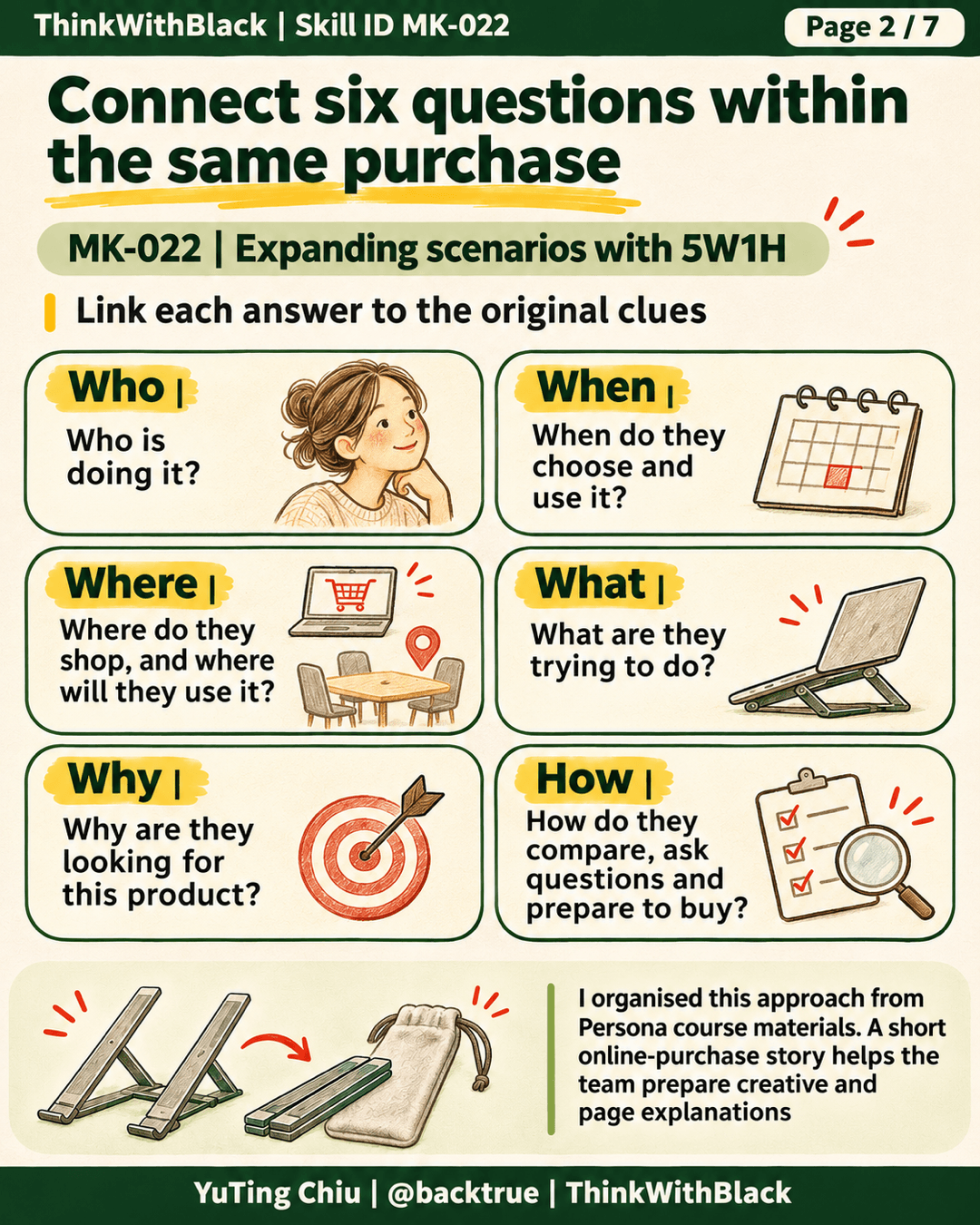
Use six questions to make the situation actionable
5W1H covers Who, When, Where, What, Why and How. Keep the answers within the same purchase so the parts connect
For the commuting scenario, Who is a person intending to carry their own laptop. When includes browsing before the morning commute and using the stand after reaching work. Where records both browsing on a phone and using the product on a company desk. Keeping shopping and use locations separate makes each part of the situation clear
What is carrying the stand to work, setting it up and packing it away. Why is the wish to use it on a desk and carry it home afterwards. How is comparing the product page, then asking service about the folded dimensions and the space inside their bag. The designer now has an action to show, and service has a question to ask
Join those answers into a short story. For example, a person who plans to carry the stand each day looks at Model A on a phone before commuting. They intend to use it at the company desk and pack it away afterwards. They therefore watch the folding demonstration and check whether the folded dimensions fit their bag
Age, income and job title remain unknown until the information supplies them. Keep buying and using roles distinct when checking an order. An order containing baby products, for example, still leaves the buyer’s relationship to the user open
Keep the second scenario and its different questions
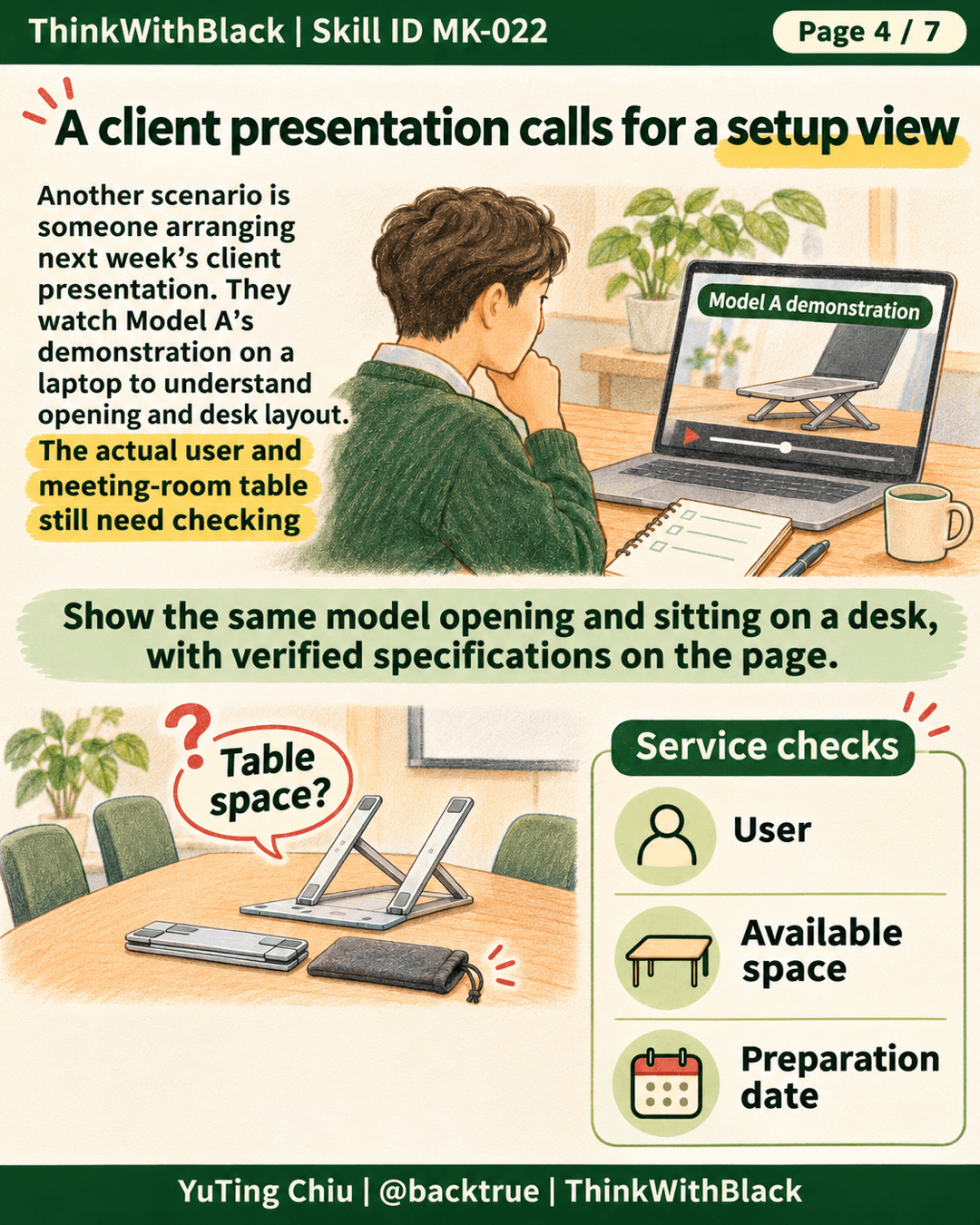
For the client presentation, Who is the person arranging the purchase. Whether that person will use the stand still needs checking. When is before next week’s presentation. Where separates browsing the demonstration on a laptop from using the stand in the client’s meeting room
What is preparing the laptop setup at the venue. Why is the wish to understand the operation and space required. How is watching the opening steps, then checking laptop compatibility, setup dimensions and the preparation date. The meeting-room table and available equipment still need confirmation
That story produces another filming request. Show the stand opening, a compatible laptop being placed on it and the desk layout. Put the matching specifications beside the demonstration on the page. Check the actual dimensions and delivery arrangements before answering the customer’s particular schedule
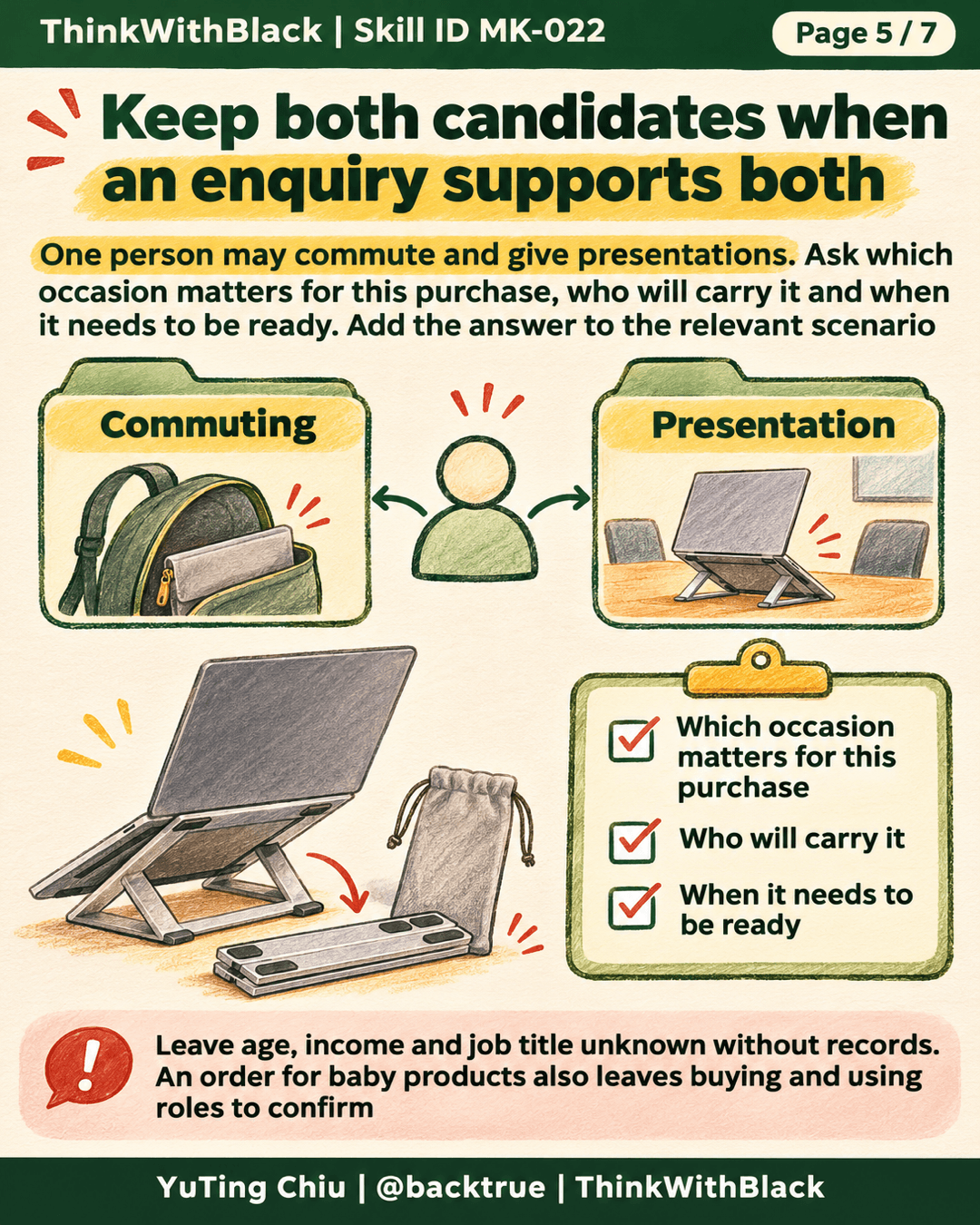
If an enquiry mentions both commuting and presentations, retain both scenario candidates. Ask which occasion matters for this purchase, who will carry the stand and when it needs to be ready. The answer may distinguish the scenarios, or show that one person has both uses. Update the table with that information
Keep the story, evidence and next question in eight fields
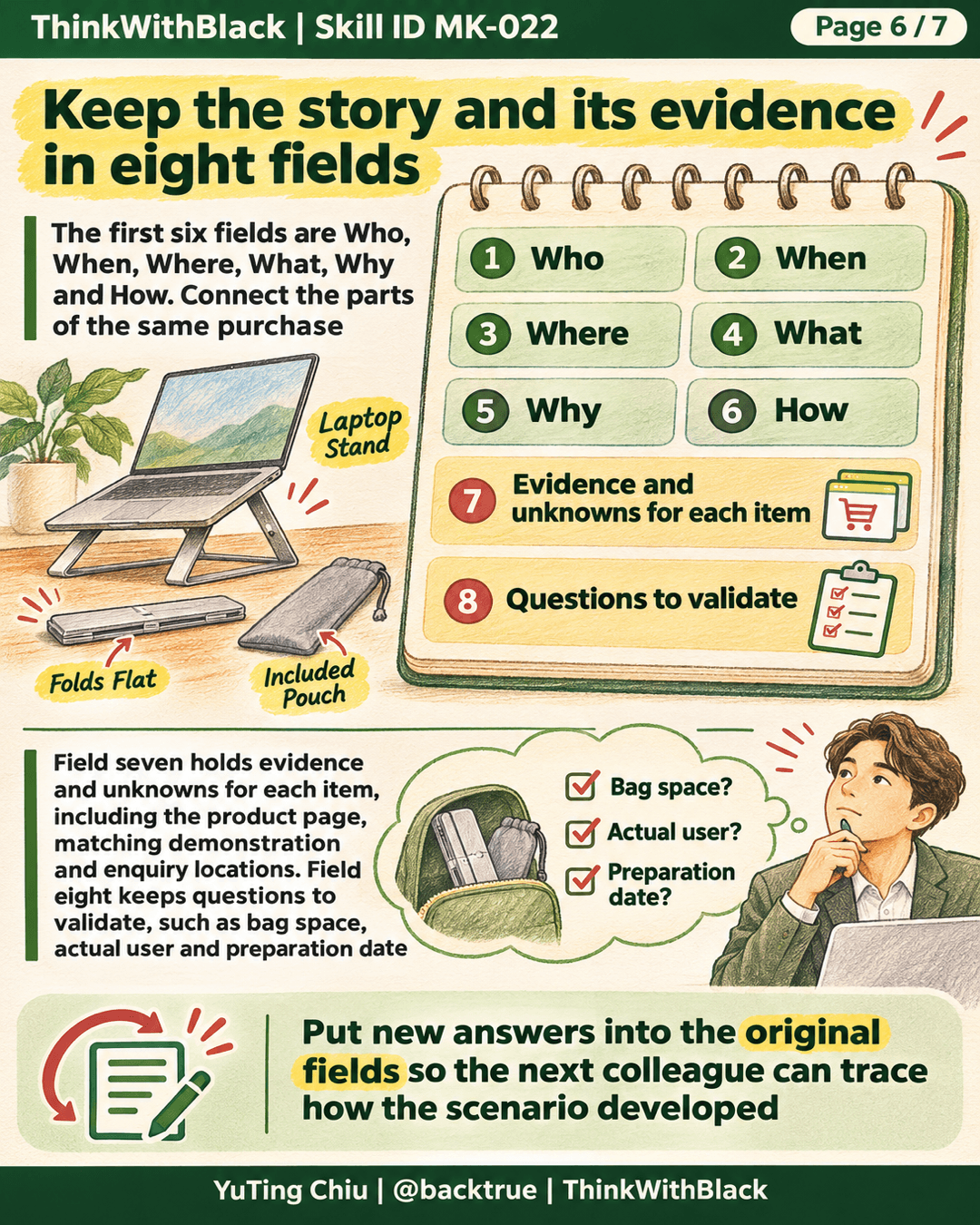
MK-022 adds item-level evidence and unknowns, plus questions to validate, to the six scenario questions. Leave source locations with the story so the next colleague can follow what supports each statement and what still needs asking
| Field | Commuting scenario | Presentation scenario |
|---|---|---|
| Who | Person intending to carry their own laptop. Age and job title unknown | Person arranging the purchase. Actual user needs confirmation |
| When | Browses before the daily morning commute and uses it at work | Prepares before next week’s presentation. Exact date unknown |
| Where | Product page on a phone, product use on a company desk | Demonstration on a laptop, product use in a client meeting room. Table conditions unknown |
| What | Carry it to work, set it up, pack it away and take it home | Prepare the laptop layout and operation at the venue |
| Why | Check storage and daily carrying arrangements | Understand operation and space requirements in advance |
| How | Watch folding, compare the model’s folded dimensions with bag space | Watch setup, check compatible laptops, setup dimensions and preparation time |
| Evidence and unknowns for each item | Retain locations for product information, the demonstration and enquiry. Keep missing bag measurements separate | Retain locations for product information, demonstration and enquiry. Keep user, table and date questions separate |
| Questions to validate | Which bag will carry it? How much usable space is inside? | Who will use it? How large is the table? By which date must it be ready? |
When using your own records, connect product facts, selling points, values, motivations and willingness-to-pay clues to their sources. Leave gaps in the unknowns and follow-up questions, then update the original field when an answer arrives
The method comes from the Persona section of the course “Niches form the mass market × precise Personas × digital assets.” I organised the online-purchase story approach into MK-022 so audience work can feed creative and page communication. The method pack also includes the original course-material link. Persona course materials
Hand over a concrete filming and reply request
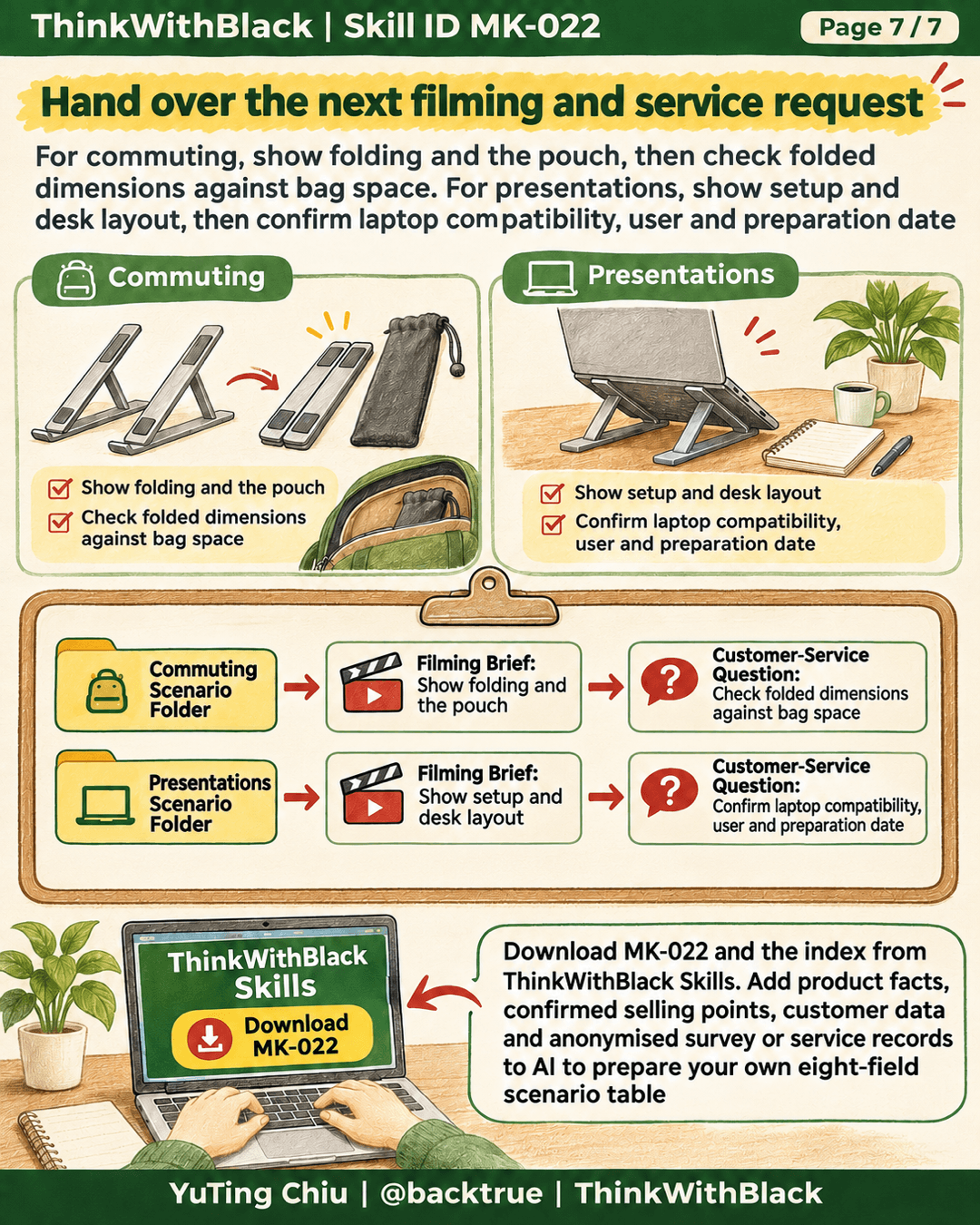
For commuting, the copy can begin “Taking a laptop to work each day? Watch how the stand folds, then compare its folded dimensions with your bag.” The designer can show the same model folding and going into the included pouch, with dimensions checked against the product information
For a presentation, begin “Preparing a client presentation next week? Watch the stand opening and sitting on a desk, then check laptop compatibility and the available space.” The designer can show the full setup, while service checks the user, table and preparation date
The next colleague receives a situation they can continue working on. The demonstration to select, measurement to add and person to ask all follow from the recorded clues
Seven-page guide
Bring one product and two enquiries to ThinkWithBlack Skills
Get the index and download MK-022, Expanding scenarios with 5W1H. This article follows the official repository’s 2026.11.02 English method and its eight fields. ThinkWithBlack Skills directory · English MK-022 method pack
Choose one product. Add its information, confirmed selling points, existing customer data and anonymised survey or service records to an AI conversation. Ask it to develop scenarios from the original wording, cite each source, retain candidates supported by the records and identify the next question that would distinguish their uses
Take one resulting scenario into a copy opening, filming request and service follow-up. Then check that each part of the handoff leads back to the original clues
This Skill on social media
Choose a platform to view the infographic and post